

How to Use the MyNISSAN App: Remote Start, Climate Control, and More
On a July afternoon in Victorville, a car parked in the sun can feel like an oven. With the MyNISSAN app and NissanConnect® Services, you can start your Nissan from your phone and, on select models, set the cabin temperature before you ever open the door. The app can also lock your doors, find your car in a crowded lot, and help you keep up with maintenance.
Here’s how to set up the MyNISSAN app, what each feature does, and how to get the most out of it in the High Desert. If you’d like help getting connected, our team at Valley Hi Nissan can walk you through it, or you can give us a call.
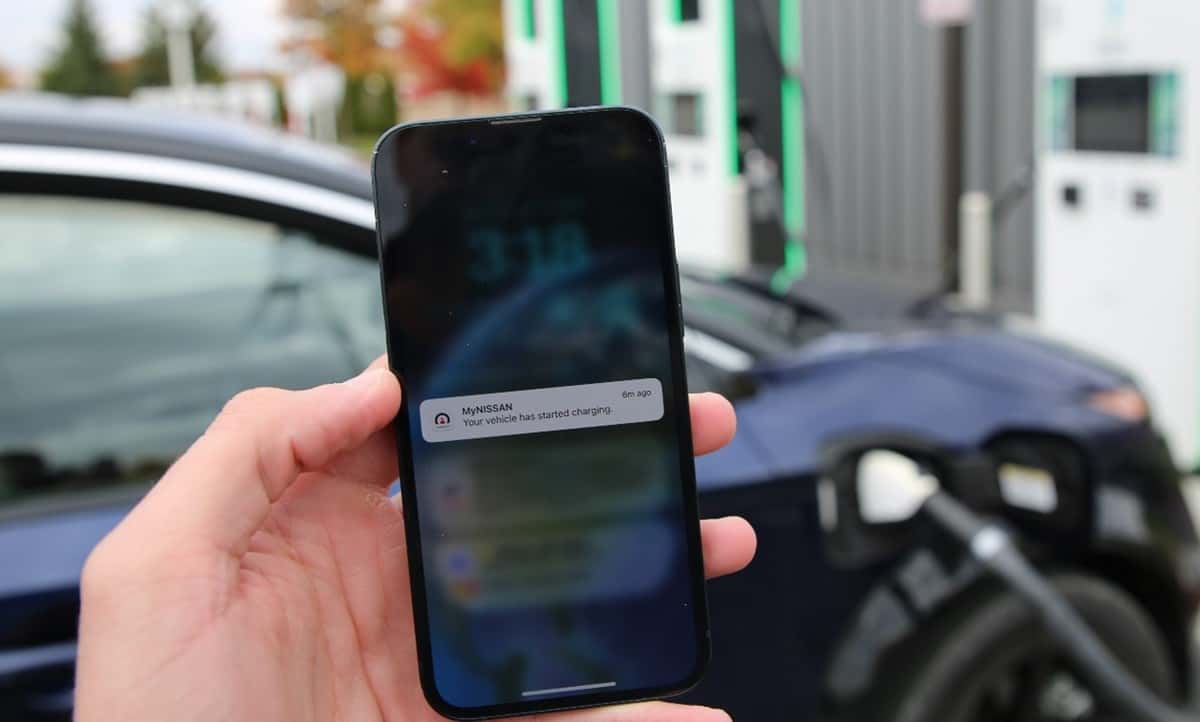
Table of Contents
- What Are NissanConnect and the MyNISSAN App?
- How to Set Up the MyNISSAN App
- Remote Start and Climate Control
- How to Pre-Cool Your Nissan on a Hot Day
- More Things You Can Do With the App
- Safety, Security, and Driver Alerts
- Maintenance Reminders and Service Scheduling
- Common Questions About NissanConnect
What Are NissanConnect and the MyNISSAN App?
NissanConnect® is Nissan’s connected-car system. The MyNISSAN app is how you use it from your phone. Together, they let you check on your vehicle and control certain features from almost anywhere with a cell signal.
Some NissanConnect features are built in and don’t require a subscription. Remote features like remote engine start, remote vehicle status, and alerts are part of NissanConnect Services, which requires an active subscription after any included trial. Feature availability varies by model, model year, and trim.
How to Set Up the MyNISSAN App
Getting started takes just a few minutes:
- Download the MyNISSAN app from the Apple App Store or Google Play.
- Create a MyNISSAN ID and log in.
- Add your vehicle using your VIN, which you can find on your registration, insurance card, or the lower corner of the windshield on the driver’s side.
- Activate NissanConnect Services if your vehicle supports it, and review any included trial.
- Turn on notifications so you get alerts and reminders on your phone.
Buying a new Nissan from us? Ask your salesperson to help you connect the app before you drive off the lot.
Remote Start and Climate Control
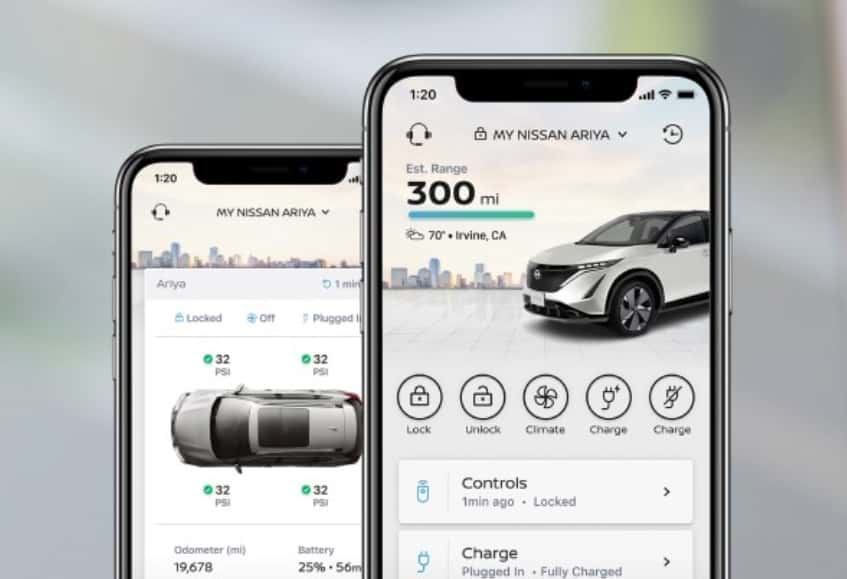
Remote Engine Start/Stop lets you start your Nissan from the MyNISSAN app by pressing and holding the Start/Stop button. Depending on the model, the engine runs for 10 to 20 minutes and shuts off automatically if you don’t get in with your key. On select models, you can extend it once by another 10 minutes.
On select models, remote start also lets you:
- Set the interior temperature
- Turn on the heated seats and heated steering wheel
- Turn on the defroster
For remote start to work, your vehicle needs to be in Park with the doors closed and locked, the hood closed, the windows up, and the key outside the vehicle.
Remote Engine Start/Stop may be subject to state or local regulations on engine idling or noise. It is your responsibility to use it safely and legally. Never leave the engine running in a garage or other enclosed area.
How to Pre-Cool Your Nissan on a Hot Day
High Desert summers regularly climb past 100 degrees, and a car parked in the sun gets much hotter inside. Here’s how to make remote start work for you:
- Start it about 10 minutes before you leave. Start your Nissan from the app while you finish up at work or in the store, so the AC has time to bring the temperature down.
- Set the temperature in the app on models with climate control, so the cabin is already comfortable when you get in.
- Park in the shade and use a sunshade when you can. Remote start works best when the car isn’t starting from an extreme temperature.
- Use it in winter, too. On cold High Desert mornings, remote start with defrost and heated seats (on select models) helps clear the windshield before your drive down the 15.
Always make sure the area around your car is open and well ventilated before using remote start.
More Things You Can Do With the App
Depending on your model and subscription, the MyNISSAN app can also:
- Lock or unlock your doors from anywhere with a cell signal
- Flash the lights or sound the horn to find your car in a busy parking lot
- Check vehicle status, including door locks, tire pressure, odometer, and miles to empty
- Get Walk Away Status alerts if you leave a door or window open
- Share access with up to four additional drivers, with permissions you control
- Open your garage door with the Connected Garage Door Opener with myQ®, on select models
Safety, Security, and Driver Alerts
NissanConnect Services also includes safety and security features on select models:
- Automatic Collision Notification and Emergency Call connect you with a 24/7 response specialist
- Stolen Vehicle Locator uses GPS to help authorities find your vehicle
- Alarm notifications alert your phone if your vehicle’s alarm goes off
- Geofence, speed, and time-based alerts let you know if your vehicle leaves an area you set, goes over a speed you choose, or is driven outside set hours, which is helpful for parents of new teen drivers
Maintenance Reminders and Service Scheduling
The MyNISSAN app helps you keep up with maintenance. You can see maintenance reminders, check your service history, look up warranty information, view recall notices, and read your owner’s manual.
You can also schedule a service appointment from the app. Choose Valley Hi Nissan as your dealer, and our Victorville service team will be ready for you, with no drive down the hill needed. You can also schedule service online.
Common Questions About NissanConnect
Q: Do I need a subscription to use the MyNISSAN app?
The app is free to download, and some features, like owner’s manuals and service scheduling, don’t require a subscription. Remote features such as remote engine start and remote vehicle status require an active NissanConnect Services subscription after any included trial.
Q: Does my Nissan have remote start through the app?
Remote Engine Start is available on select models, years, and trims. Add your VIN in the MyNISSAN app to see which features your vehicle supports, or ask our team.
Q: How long does remote start run?
Depending on the model, 10 to 20 minutes. On select models, you can extend it once by 10 more minutes. The engine shuts off automatically if you don’t get in with your key.
Q: Can I set the temperature from the app?
Yes, on select models. You can set the interior temperature, and on some models turn on the defroster, heated seats, and heated steering wheel.
Q: Why won’t my remote start work?
Check that the vehicle is in Park, the doors are closed and locked, the hood is closed, the windows are up, and the key is outside the car. Your vehicle also needs a cellular signal, and your NissanConnect Services subscription must be active.
Q: Can Valley Hi Nissan help me set up the app?
Yes. Stop by or call our team, and we’ll help you connect your Nissan and show you the features your vehicle supports.
The MyNISSAN app makes it easy to stay comfortable, keep your Nissan secure, and stay on top of maintenance, which is especially handy during High Desert summers. For help getting connected, visit Valley Hi Nissan at 15722 Valley Park Ln in Victorville or call (760) 241-1700. You can also browse new Nissan inventory or schedule service online.
NissanConnect Services features require a subscription after any included trial period and are available on select models, years, and trims. Features depend on cellular network availability and compatible smartphones. See Nissan’s NissanConnect terms for details.
© 2026 Valley Hi Nissan. All rights reserved.
0 comment(s) so far on How to Use the MyNISSAN App: Remote Start, Climate Control, and More